UX/UI Design
Designing around the person on the other side of the screen.
I completed my BFA at Lesley University in 2025 with two graduate-level independent studies in UX/UI design, the second building on the first. My advisors and I chose that path as the most useful addition to an established career, and it paid off right away in my professional work.
The same user-centered thinking now shapes my strategy for digital and video alike: start with who will use the site or watch the video and what they need from it, then design the structure, flow and interface around them.
Study one: researching a real app
The first study took the core UX research process through a familiar task: ordering takeout with the Grubhub app. The goal was to find the points of friction for users and the opportunities to improve the experience.
Research
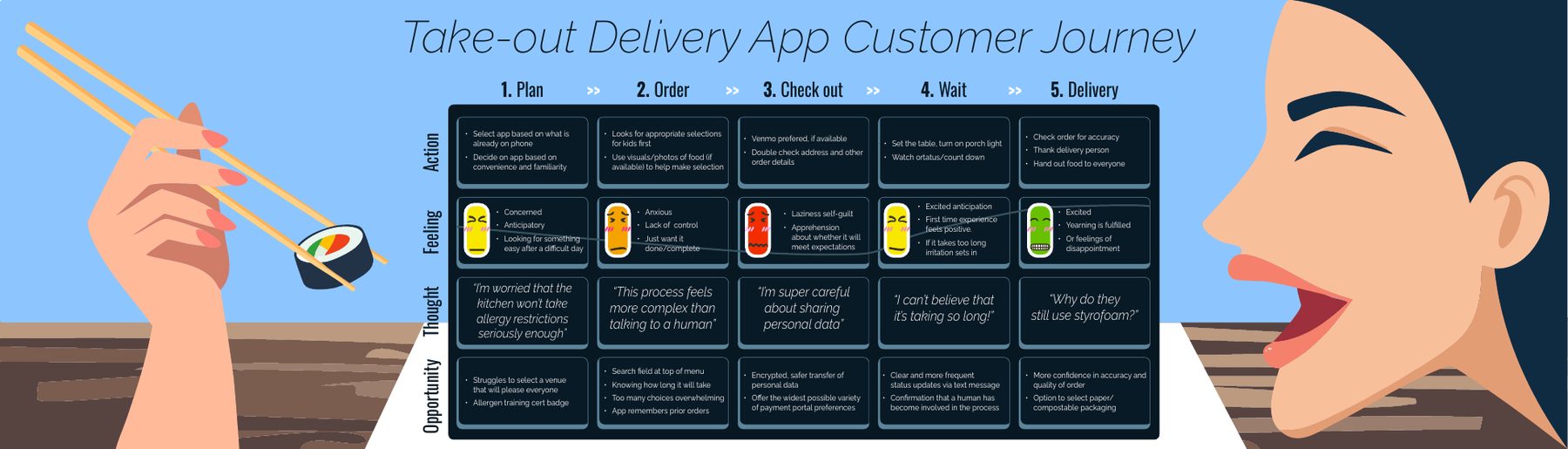
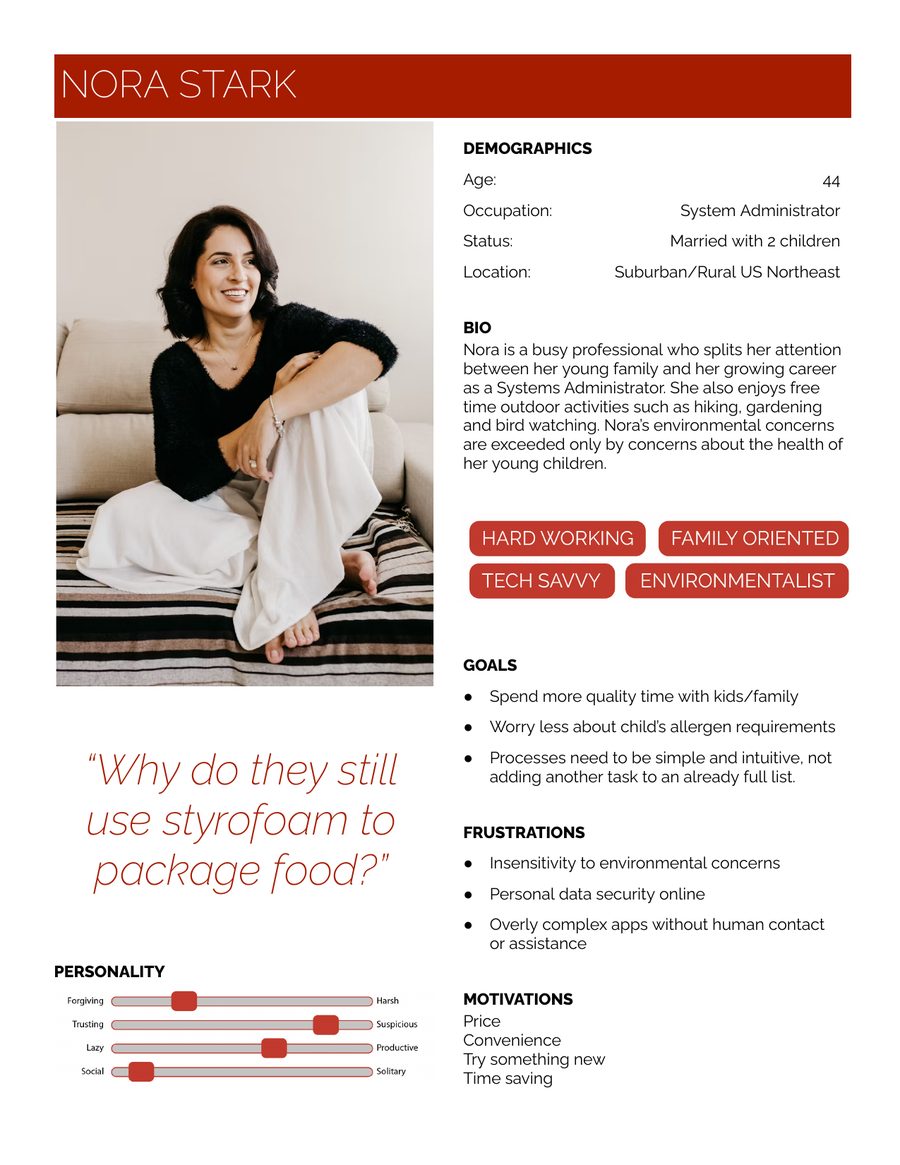
I interviewed three users of food delivery apps, with questions designed to draw out their actions, feelings and thoughts at each stage of ordering. I mapped what I learned as a customer journey, from planning and ordering through checkout, the wait and delivery. I built a persona from the interview data, ran a heuristic evaluation based on Nielsen and Molich's usability standards, and compared Grubhub with its competitors.
What I found
- Every participant found the interface consistent and intuitive.
- A third found the fees confusing. “Free” delivery was advertised, but vaguely named fees appeared at checkout, and Grubhub was the only app in its competitive set to charge a small-order fee.
- A third weren't confident their allergy and health concerns would be taken seriously.
- On Android, once checkout started it wasn't always clear how to back out or change an order.
- Slang and idioms in titles, likely aimed at younger users, could confuse people reading English as a second language.
All of my participants were over 50, and they kept comparing the app with phoning a restaurant. As one put it, “This process feels more complex than talking to a human.”
Recommendations and screens
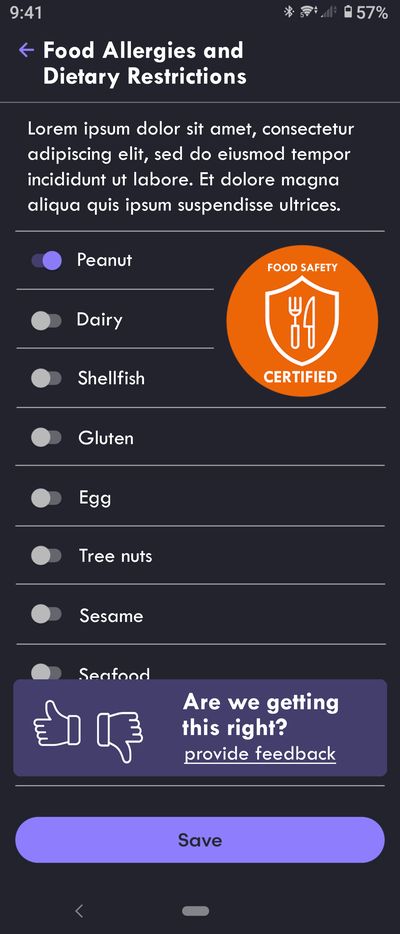
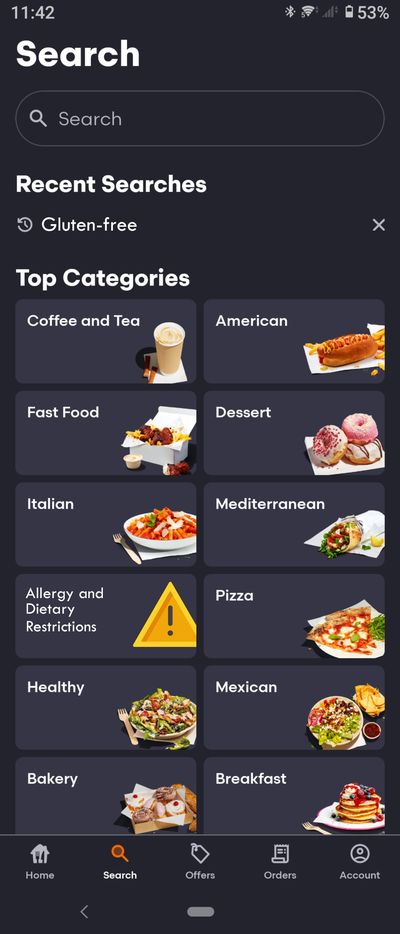
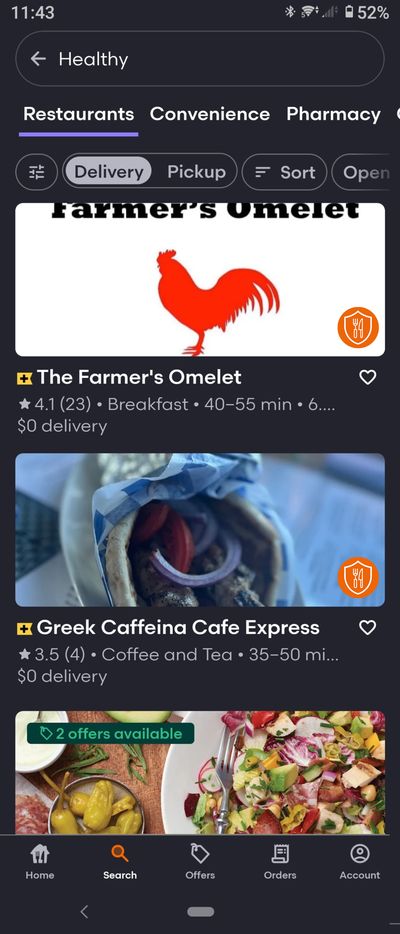
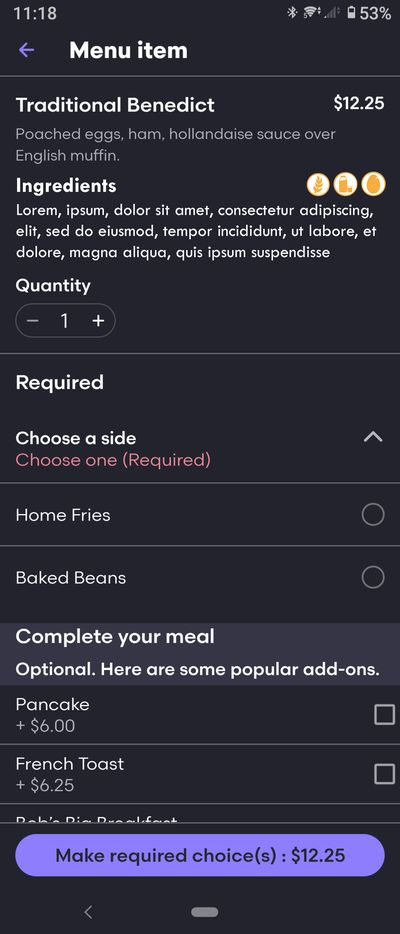
My recommendations focused on giving users control. A new Food Allergies and Dietary Restrictions section in settings would trigger an alert at checkout when an item conflicts with the user's choices. Allergen icons would flag individual menu items, and a badge would identify restaurants whose staff are certified in allergen handling. A new search category would highlight those restaurants in any set of results, and a feedback prompt would let users say whether the app was getting it right. I also proposed letting users choose paper or compostable packaging. The designs draw on established UI patterns for autonomy, tailoring and social proof.
Study two: the FinEd app concept
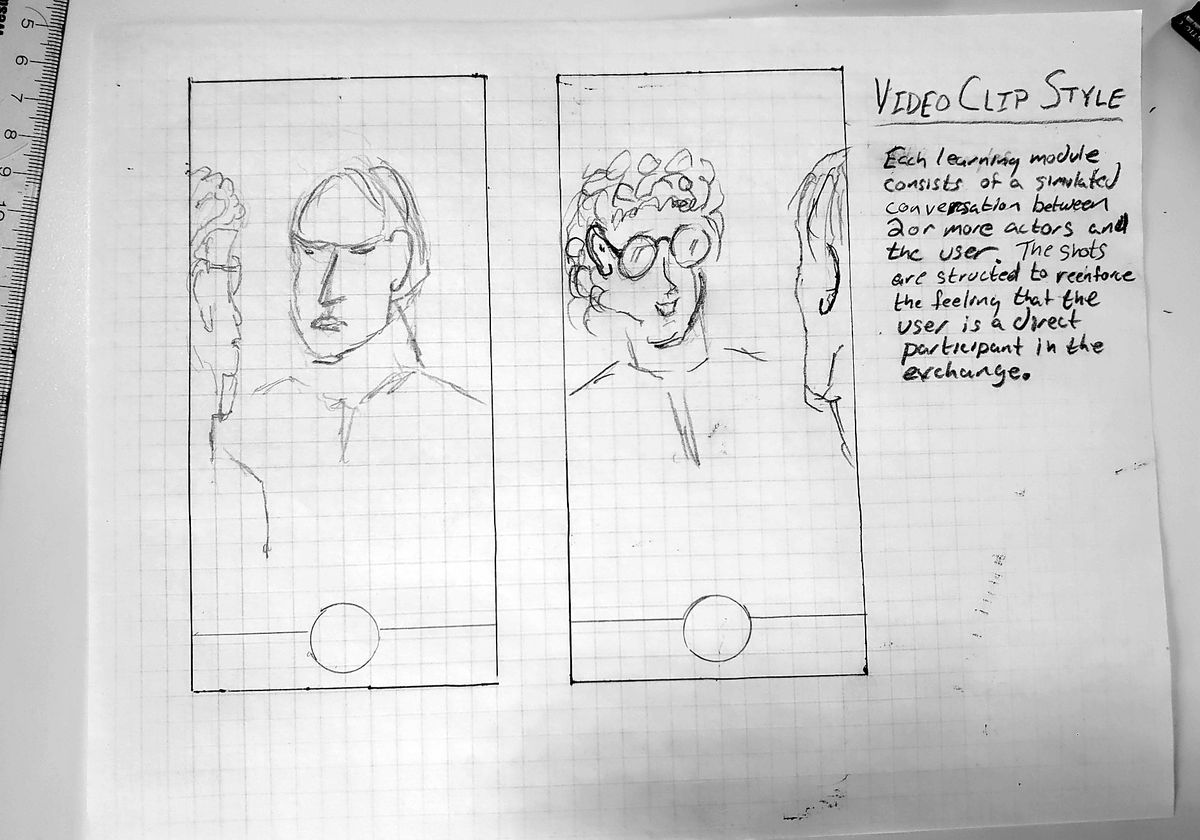
My second study built on the first, moving from improving an existing product to designing a new one, in the field I know best. It was a concept for a mobile financial education app that teaches through conversation. Instead of reading articles or sitting through a lecture, the user talks with two or three AI-generated actors in interactive video. The actors share personal stories about financial situations, then pause to ask what the user wants to know next.
The idea grew out of my retirement education work, where a story told by someone in a similar situation makes a more convincing case than a message from an employer or plan provider, as in the Johnson County Series.
The user journey
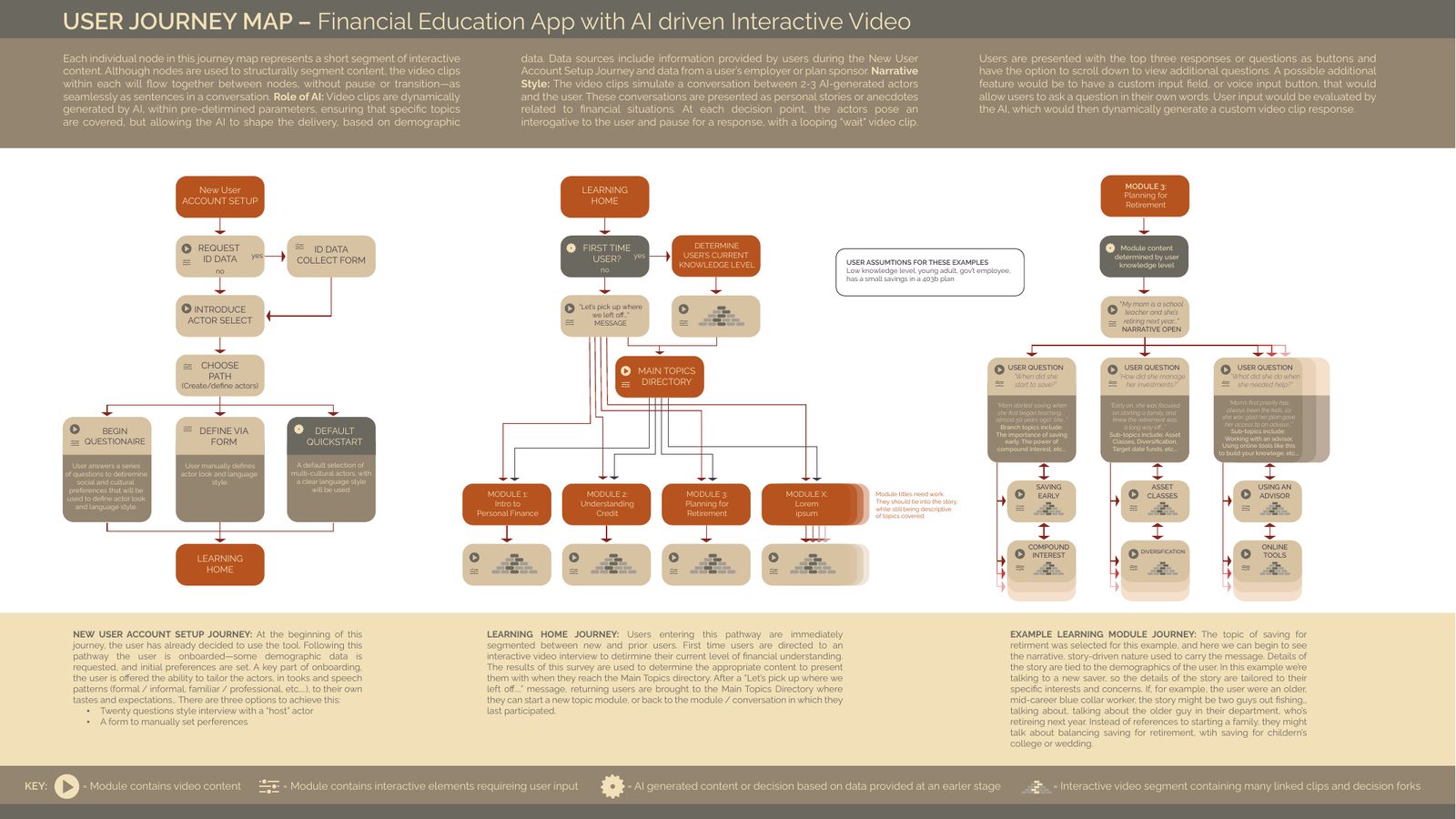
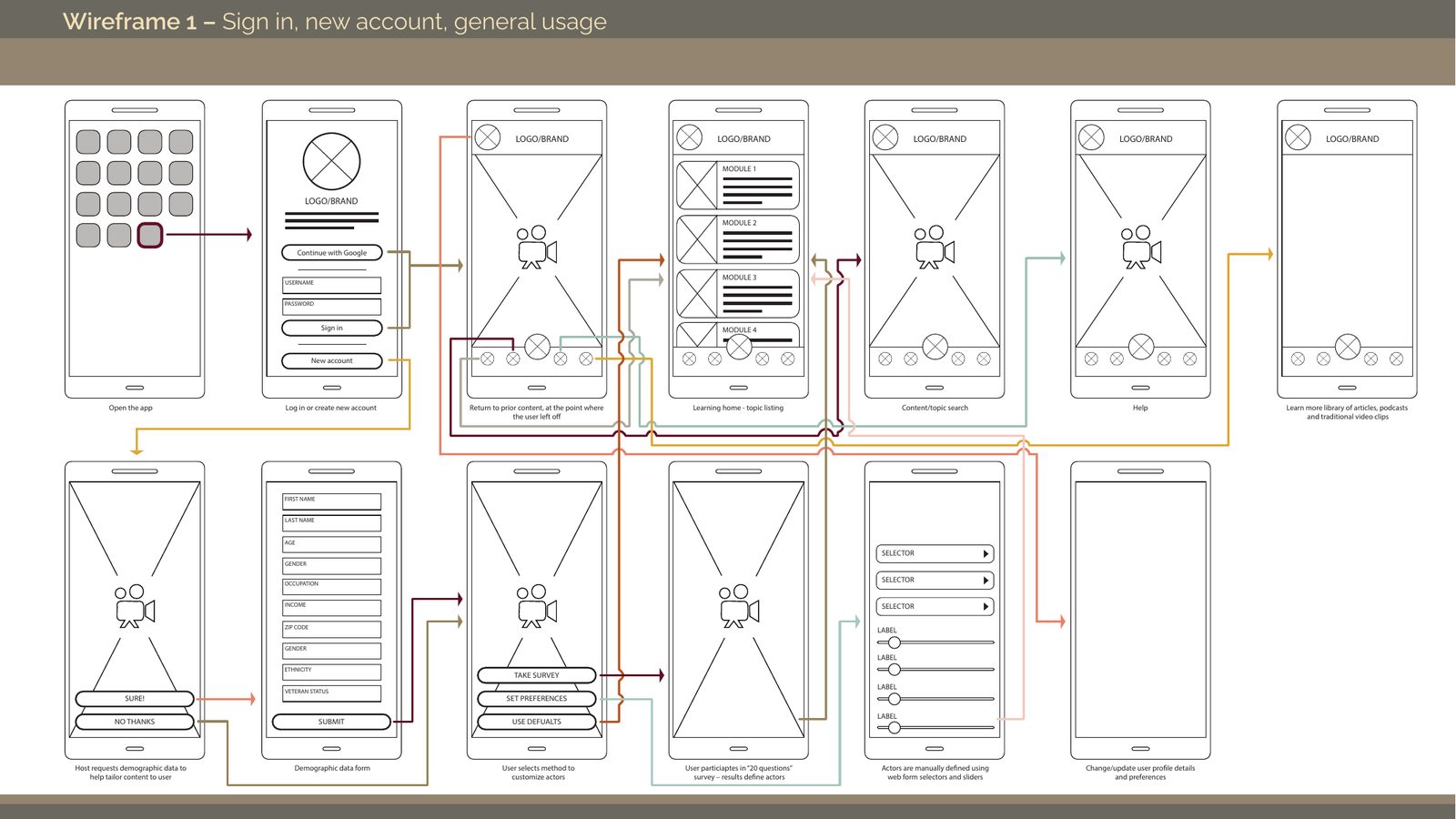
I mapped three journeys. New user account setup covers onboarding: the app asks for some demographic data, then lets the user shape the actors they'll learn from, through a short survey with a host, a form, or a default quick start with a multicultural cast. Learning home sends first-time users through a short interview to gauge their financial knowledge, and greets returning users with “Let's pick up where we left off.” An example learning module, on planning for retirement, shows how the story adapts to the person: for a young government employee with little financial knowledge and a small 403(b), it opens with “My mom is a school teacher and she's retiring next year…”
Designing the conversation
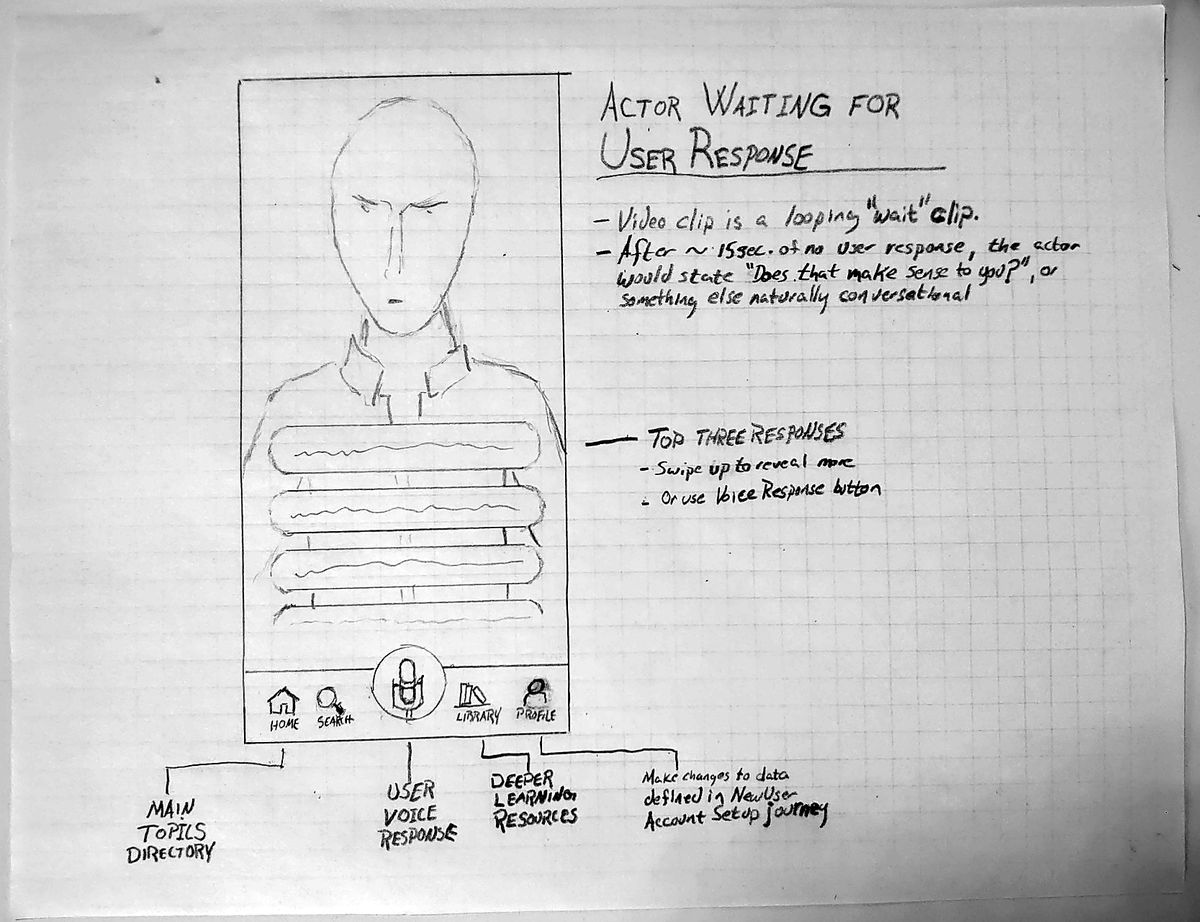
Each node in the map is a short segment of interactive video, but the clips flow together between nodes as seamlessly as sentences in a conversation. At each decision point an actor asks the user a question and waits, on a looping “wait” clip. After about 15 seconds without a response, the actor checks in with something natural, such as “Does that make sense to you?”
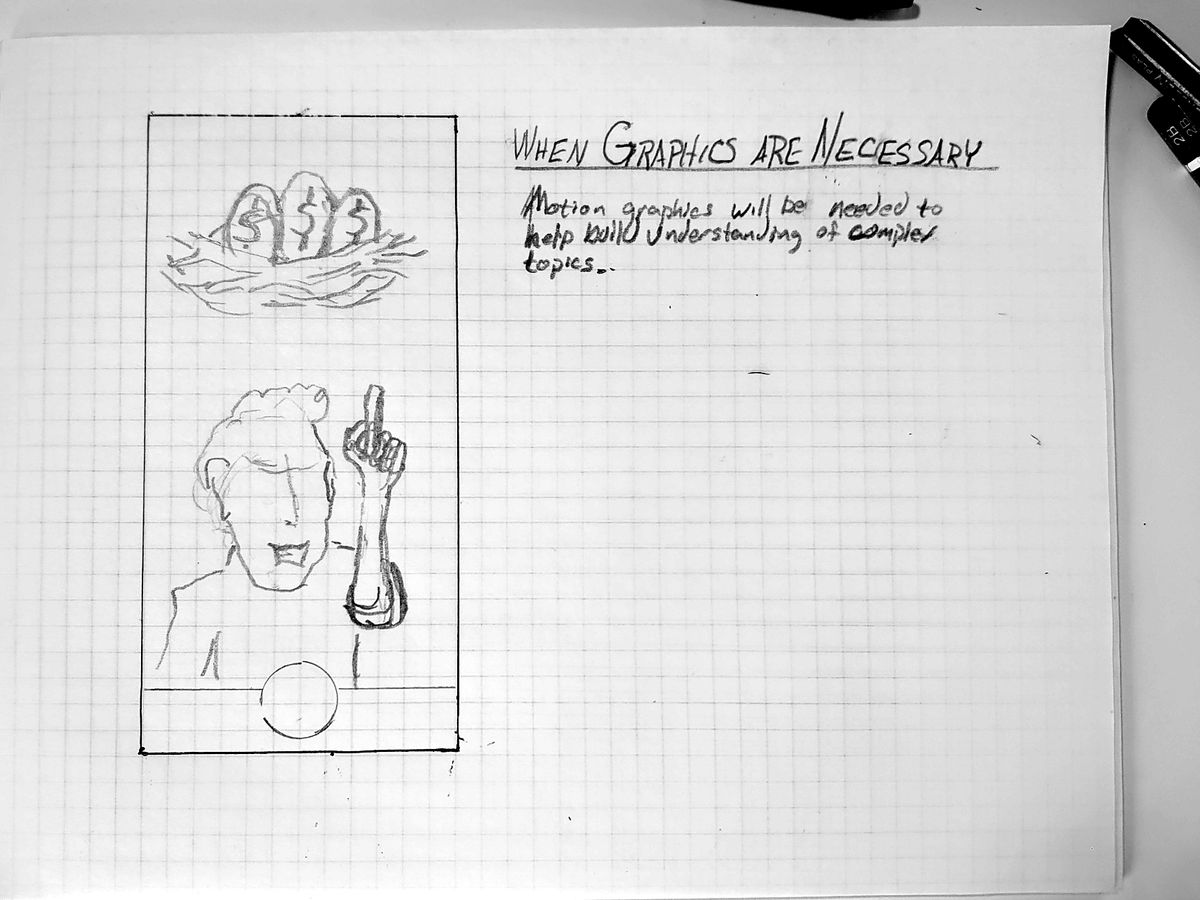
The user answers by choosing one of the top three questions or responses, swiping up for more, or tapping a voice button to ask in their own words. Questions branch into topics: in the retirement module, “When did she start to save?” leads to saving early and compound interest, and “How did she manage her investments?” leads to asset classes, diversification and target date funds. When a topic is hard to grasp from conversation alone, motion graphics take over.
Wireframes
The wireframes cover signing in, creating an account and general use: returning to content where the user left off, the learning home and topic list, search, help, a library of articles, podcasts and traditional video, and the profile where users can update their details and preferences.
The role of AI
In the concept, AI generates the video clips within set parameters, so every required topic is covered while the delivery adapts to the user. It draws on what users share during account setup and on data from their employer or plan sponsor. A user who asks a question in their own words would get a custom clip in response.
First screens
The first visual designs put the conversation full screen, with the navigation (home, search, help and library) tucked along the bottom around a central voice button.

Tools: pencil sketches and Adobe Illustrator.
Explore more work
Johnson County Series

Road to Retirement GFX